
What Size TV Fits in a TV Bed?
Published Last updated
Most TV beds are designed for a specific range of television sizes, but the number printed on the TV box is only the beginning. A 43-inch television may be suitable for one TV bed and too wide, deep or heavy for another.
To confirm that a TV will fit, you need to check its complete width, height, depth and weight, along with the bed’s mounting and lift requirements. Always compare the exact television model with the specification of the individual TV bed before ordering.
This guide explains what to measure, what the common screen sizes mean and how to choose a television that is comfortable to watch from bed.

Quick answer: which TV size fits a TV bed?
Many TV beds are designed for televisions in the region of 32 to 43 inches, while selected larger models may accommodate a 50-inch screen. This is only a general starting point—not a guarantee that a particular television will fit.
Two TVs with the same advertised screen size can have different casings, bezels, depths, weights and mounting patterns. The specification of the individual bed and television must therefore take priority over a generic size chart.
Before buying, confirm:
- The maximum television screen size supported by the bed
- The TV’s complete width and height
- Its maximum depth
- Its weight without the stand
- Whether its stand can be removed
- Its VESA mounting pattern
- The position of its power, aerial and HDMI connections
- Any additional requirements stated by the TV-bed manufacturer
For how the lift, storage and installation work together, read our complete TV-bed buying guide.
Screen size is not the same as TV width
Television sizes are measured diagonally across the visible screen. A “43-inch TV” therefore has a screen measuring approximately 43 inches from one corner to the opposite corner. It is not 43 inches wide.
Modern televisions normally use a 16:9 screen ratio. That allows us to estimate the width of the screen itself, but the complete television will be slightly larger because of its bezel and casing.
Use the following table as general guidance only:
| Advertised TV size | Approximate 16:9 screen width | What to remember |
|---|---|---|
| 32 inches | Approximately 71 cm | The complete casing will be slightly wider |
| 40 inches | Approximately 89 cm | Check the exact model dimensions |
| 43 inches | Approximately 95–96 cm | Commonly considered for larger TV beds, subject to the bed specification |
| 50 inches | Approximately 111 cm | Only suitable for TV beds specifically designed for a screen of this size |
These figures describe approximate screen width—not guaranteed overall television dimensions. The actual product specification supplied by the television manufacturer is the measurement that matters.
How to measure a television for a TV bed
You will usually get the most reliable measurements from the television manufacturer’s technical specification. It is still sensible to measure the physical TV yourself, particularly if you already own it.
1. Find the complete model number
Do not rely on the brand and screen size alone. The complete model number is normally shown on a label on the back of the television or in its settings menu.
Different models from the same brand can have different dimensions even when the advertised screen size is identical.
2. Remove or exclude the stand
A television fitted to a TV-bed lift is normally mounted without its desktop stand. Check that the stand can be removed and use the manufacturer’s “without stand” measurements.
Do not physically remove anything until you have read the television instructions.
3. Measure the overall width
Measure horizontally from the furthest left-hand edge of the casing to the furthest right-hand edge.
Do not measure only the visible screen.
4. Measure the overall height
Measure from the lowest point of the television casing to its highest point, excluding the removable stand.
The television needs sufficient clearance to rise from and retract into the footboard safely.
5. Measure the maximum depth
Measure the deepest part of the television—not merely the thin outer edge of the screen.
The centre or lower portion may be deeper because it contains the electronics, speakers, connections or mounting points.
6. Check the weight
Use the television’s weight without its stand. The TV lift has a maximum permitted load, and this limit must not be exceeded.
Do not assume that a newer or thinner television is automatically light enough.
7. Check the VESA mounting pattern
VESA measurements describe the spacing between the mounting holes on the back of a television. They are usually written as two measurements, such as 200 × 200 mm.
The television’s VESA pattern must be compatible with the mounting system supplied with the TV bed.
8. Check cable and port clearance
Look at the position of:
- The power connection
- HDMI ports
- Aerial connection
- Ethernet connection
- USB ports
- Optical audio output
Side-facing connections are often easier to access after installation than sockets pointing directly backwards, but suitability depends on the mounting system and available clearance.
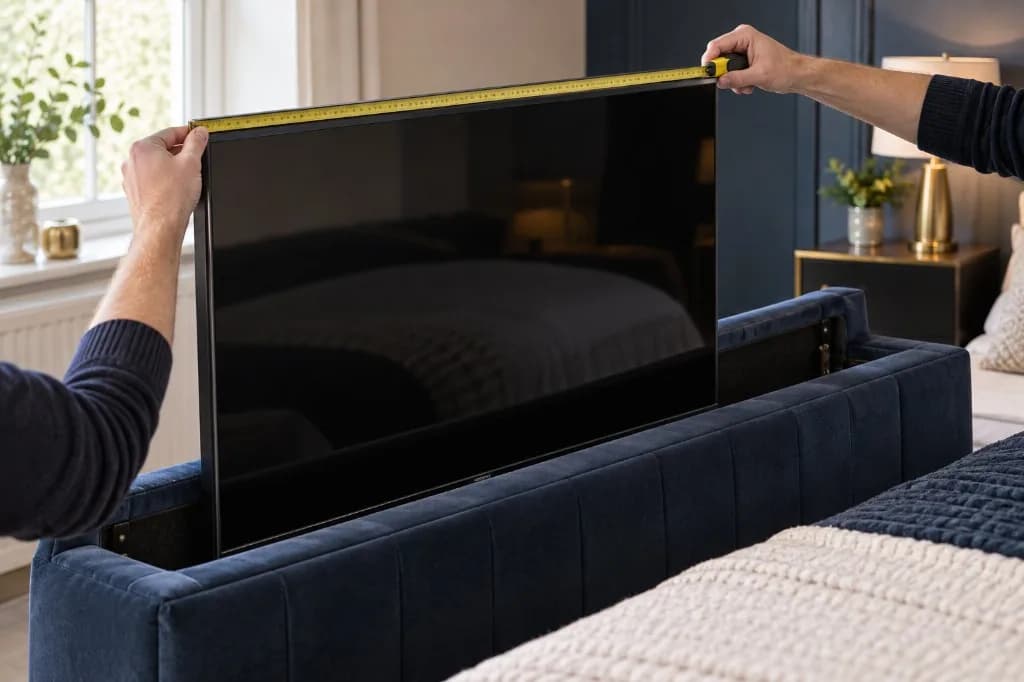
TV-bed compatibility checklist
Use this checklist before ordering either the bed or television:
- Exact TV-bed model confirmed
- Maximum supported screen size checked
- Complete TV width checked
- Complete TV height checked
- Maximum TV depth checked
- TV weight without stand checked
- Removable stand confirmed
- VESA mounting pattern checked
- Power and input locations checked
- Space for safe cable movement checked
- Manufacturer instructions reviewed
- Compatibility confirmed with Bedwick if anything remains unclear
If one measurement is missing, do not assume that the television will fit. Contact Bedwick with the bed name and the television’s model number if anything is still unclear.
Will a 32-inch TV fit in a TV bed?
A 32-inch television is often suitable for compact TV-bed mechanisms, but compatibility still depends on the complete casing dimensions, weight and mounting pattern.
A smaller television may also be a comfortable choice in a compact bedroom or where the viewing distance from pillow to screen is relatively short.
Check the individual Bedwick product specification before purchasing. A stated diagonal maximum above 32 inches does not, by itself, confirm that a particular 32-inch model will fit.
Will a 40-inch TV fit in a TV bed?
A 40-inch television may be suitable for a TV bed designed for screens around this size. However, 40-inch models are not necessarily interchangeable with 43-inch televisions.
Check the complete width, height, depth, weight and VESA pattern rather than choosing based only on the diagonal measurement.
Will a 43-inch TV fit in a TV bed?
Some larger TV beds are designed to accept televisions up to 43 inches, making this a popular size to consider. That does not mean every 43-inch television will fit every compatible bed.
Bezels, casing dimensions, depth and mounting positions vary between manufacturers and models. Treat “up to 43 inches” as the first compatibility filter—not final confirmation.
Designer Iris Mirror TV Bed, Designer Loma TV Bed, Designer Megna TV Bed, Designer Rio TV Bed and Designer Solara TV Bed state a diagonal maximum of at least 43 inches for at least one mattress size. That figure is only the diagonal written in the product description. It is not a measurement of width, depth, weight or VESA pattern, so a 43-inch television can still be unsuitable. The stated limits table shows the exact figure for each size.
Will a 50-inch TV fit in a TV bed?
A 50-inch television requires a wider and potentially deeper footboard housing. It should only be used with a TV bed whose specification explicitly confirms support for that screen size and the television’s other measurements.
Mattress size is not a reason to expect a 50-inch screen to fit. A king or super-king bed does not automatically support a 50-inch television.
Designer Iris Mirror TV Bed, Designer Loma TV Bed, Designer Megna TV Bed, Designer Rio TV Bed and Designer Solara TV Bed state a diagonal limit of at least 50 inches for at least one mattress size. Use a 50-inch screen only on a size whose own description states a limit of 50 inches or more, and still check width, height, depth, weight and the mounting pattern. Listings without a stated figure are not a 50-inch recommendation.
What do current Bedwick listings state?
Bedwick does not publish maximum television width, height, depth, weight or VESA pattern as separate specification fields. Where a product description states a diagonal limit, it is written as a maximum screen size for a mattress size, for example “TV up to 50 inches”. The table below repeats only those stated figures. “Not stated” means that description does not give a diagonal limit for that size.
| TV bed | Small double | Double | King | Super king |
|---|---|---|---|---|
| Designer Iris Mirror TV Bed | Up to 45 inches | Up to 50 inches | Up to 60 inches | Up to 65 inches |
| Designer Loma TV Bed | Up to 45 inches | Up to 50 inches | Up to 60 inches | Up to 65 inches |
| Designer Megna TV Bed | Up to 45 inches | Up to 50 inches | Up to 60 inches | Up to 65 inches |
| Designer Rio TV Bed | Up to 45 inches | Up to 50 inches | Up to 60 inches | Up to 65 inches |
| Designer Solara TV Bed | Up to 45 inches | Up to 50 inches | Up to 60 inches | Up to 65 inches |
| Designer Sunrise TV Bed | Not stated | Not stated | Not stated | Not stated |
| Designer Ultra TV Bed | Not stated | Not stated | Not stated | Not stated |
Designer Sunrise TV Bed and Designer Ultra TV Bed do not state a diagonal television limit. Do not infer a screen size for those beds.
Designer Solara TV Bed is also offered in single, and that description does not state a television limit for the single size.
If a measurement you need is missing, check the individual product specification or contact Bedwick with the bed name and television model number.
Does bed size determine the maximum TV size?
Not necessarily.
A larger mattress can provide room for a wider footboard, but the maximum TV size is determined by the construction of the particular bed, including:
- Internal footboard width
- Internal housing height
- Available depth
- Lift mechanism
- Mounting bracket
- Maximum lift weight
Two king-size TV beds can therefore have different television limits.
Always use the technical specification of the exact product rather than assuming that all double, king or super-king TV beds support the same screen. Where Bedwick states a diagonal by mattress size, that figure is in the table above — and it still does not replace the width, depth and weight checks.
What is the best TV size for a bedroom?
The best bedroom TV size depends on viewing distance, room layout and personal preference. It is separate from the question of what the TV-bed mechanism can physically accommodate.
As a broad starting point:
| Bedroom situation | Screen size to consider |
|---|---|
| Compact bedroom or shorter viewing distance | Approximately 32–43 inches |
| Typical double bedroom | Approximately 40–50 inches |
| Large primary bedroom | Approximately 50–65 inches |
| Television installed inside a TV bed | Limited by the exact TV-bed specification |
These are general viewing suggestions, not TV-bed compatibility guarantees.
A screen should feel comfortable from your normal position without requiring you to move your head repeatedly or strain to follow the picture.
How to measure viewing distance from bed
Measure from your usual eye position when sitting or reclining against your pillows to the screen when the TV is fully raised.
Do not measure from the headboard or bedroom wall. Pillow depth and your natural viewing posture can noticeably change the real viewing distance.
Also consider:
- Whether two people watch from different positions
- Screen visibility from both sides of the bed
- Reflections from windows
- Glare from bedside lights
- Whether the screen feels too dominant when raised
- Picture resolution and viewing habits
The aim is not simply to install the largest screen the mechanism can hold. It is to create a comfortable bedroom experience. You can check which bed size fits your room in the Bed Size & Room Planner before you compare screen sizes.
Do TV beds come with a television?
This varies by retailer and product.
Some TV beds are sold as frames with the lift mechanism but without a television. Others may be offered with a compatible television or optional package.
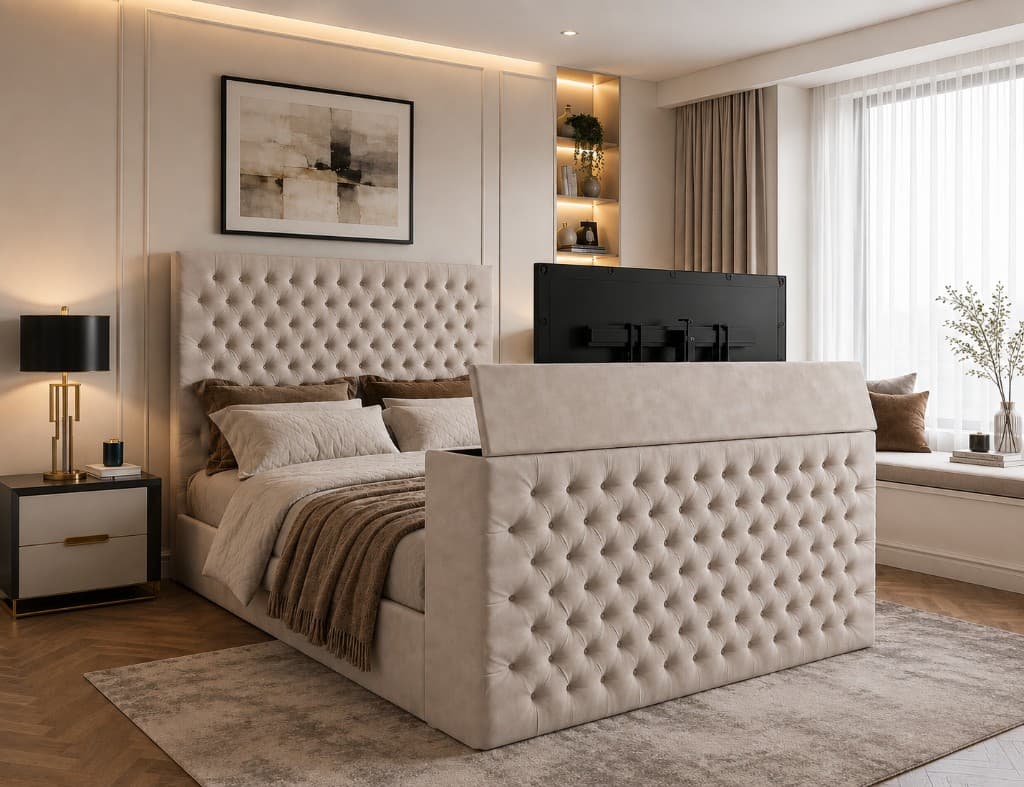
On the current Bedwick TV beds linked from this page, the television is not included. The frame includes the footboard lift, and you supply a compatible screen. That is how the TV beds category describes the range, and none of these configurators list a television as an option. Do not infer otherwise from the product photography.
Can I use a Smart TV in a TV bed?
A Smart TV may be used if it meets all the physical, weight and mounting requirements of the bed.
Before installation, consider:
- Wi-Fi strength in the bedroom
- Access to streaming accounts
- Power-cable placement
- HDMI access for consoles or streaming devices
- Aerial requirements
- Ethernet access where needed
- Ventilation around the television
- Whether the remote signal remains practical
Smart features do not make an otherwise incompatible television suitable for the lift mechanism.
Can I connect a games console to a TV bed?
In many installations, a games console or streaming device can be connected using HDMI. The practical setup depends on cable routing, ventilation and where the device will be stored.
Cables need enough freedom for the TV to rise and retract without becoming pinched, pulled or trapped.
Use the installation instructions supplied with the bed and do not modify the mechanism or electrical system without appropriate guidance.
What about soundbars?
Do not assume that a soundbar can be attached to the moving television or stored inside the footboard. The extra depth and weight could exceed the mechanism’s limits.
If a soundbar is important, consider placing it separately in the room and confirm the arrangement before installation.
Room space and TV-bed placement
A TV bed usually has a more substantial footboard than a standard upholstered bed because it contains the screen and lift mechanism.
Before ordering, check the bed’s complete external dimensions—not only the UK mattress size. Our guide to UK bed dimensions explains why the frame is larger than the mattress.
Allow enough space for:
- Walking around the bed
- Opening drawers or wardrobes
- Accessing sockets
- Delivering and assembling the bed
- Raising and lowering the screen
- Maintaining the mechanism if required
Choosing the right Bedwick TV bed
Start with the room and the bed size you need, then compare the television specification. The bed frame buying guide is the wider comparison if you are still deciding whether a TV bed is the right frame type.
A sensible order is:
- Measure the available bedroom space.
- Choose the appropriate mattress and bed size.
- Review compatible Bedwick TV-bed models, including ottoman TV beds if you also want lift-up storage.
- Check each model’s verified television limits.
- Select or confirm the exact television.
- Check delivery and assembly access.
- Ask Bedwick for clarification before ordering if any measurement is uncertain.
Compatible Bedwick TV beds
These are the TV beds currently listed. The television is not included. Diagonal limits, where a description states them, are in the table above — the cards themselves do not add a screen-size claim.
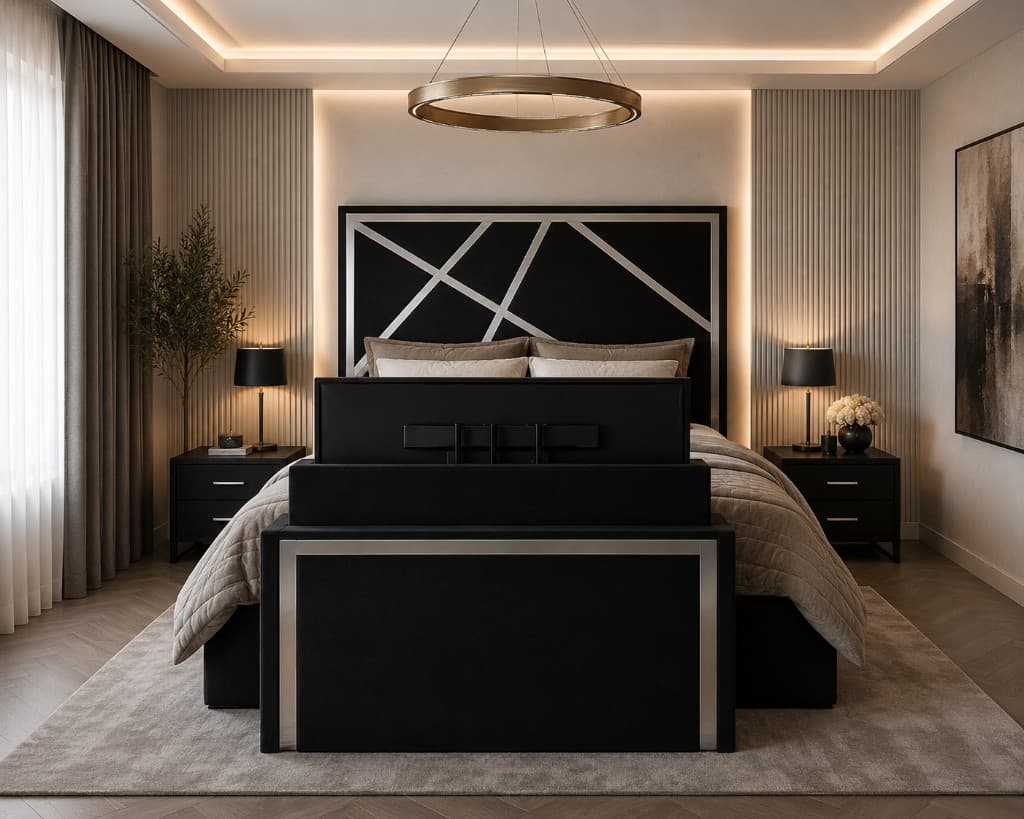
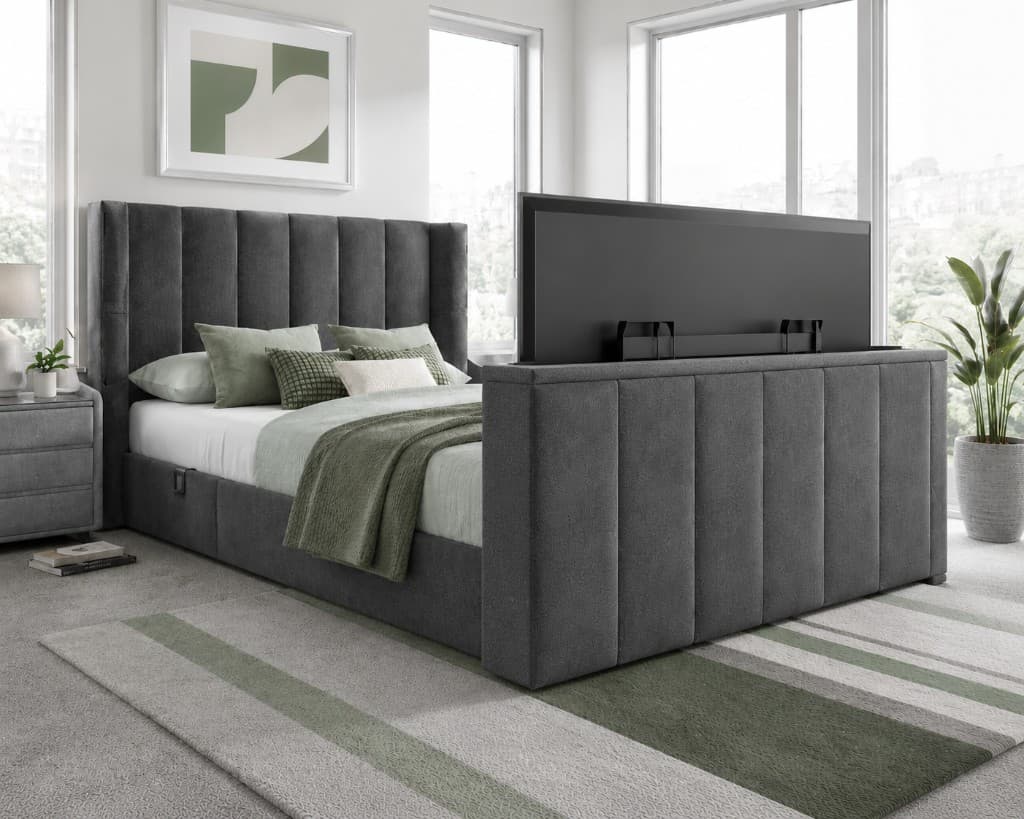
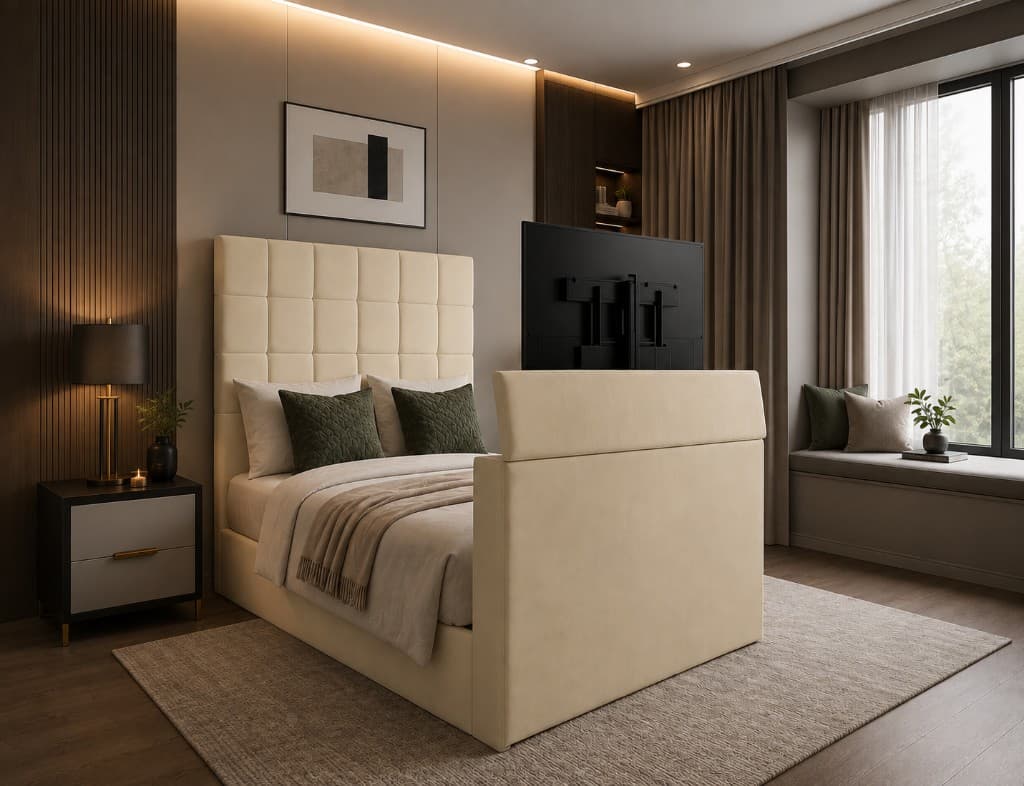



Explore Bedwick TV beds
Compare available designs, sizes, storage options and verified television requirements before choosing your bed.
Final answer
The correct TV size for a TV bed is the largest screen that remains within every limit stated for the specific bed—not simply the largest diagonal size mentioned in its description.
Check the television’s complete width, height, depth, weight and VESA mounting pattern. Then consider whether the screen will feel comfortable from your usual position in bed.
Taking a few careful measurements before ordering is much easier than discovering that a television is slightly too wide, too deep or too heavy after the bed arrives.
If you are uncertain, keep the exact bed name and television model number ready when contacting Bedwick. That gives the team the best chance of checking the correct information.
Frequently asked questions
Many TV beds are designed around televisions between approximately 32 and 43 inches, while selected larger models may support a 50-inch screen. Always check the individual bed specification because there is no universal limit.
No. Two 43-inch televisions can have different overall dimensions, depths, weights and VESA patterns. The complete television specification must match the bed.
TV size is the diagonal measurement across the visible screen. It is not the overall width of the television.
Use the manufacturer’s dimensions without the stand when the television will be fixed to the TV-bed mounting bracket. Confirm that the stand is removable.
It is the horizontal and vertical spacing between the mounting holes on the back of a television, normally expressed in millimetres.
Yes. TV lifts have a maximum permitted weight. Exceeding it could prevent correct operation or damage the mechanism.
Not automatically. The maximum television size depends on the specific footboard housing and lift mechanism, not the mattress size alone.
Potentially, provided the replacement complies with all the dimensions, weight, mounting and connection requirements of the bed. Check before removing or replacing the television.
On current Bedwick TV beds, the television is not included. The frame includes the footboard lift and you supply a compatible screen. Read the product description in case a particular listing changes.
Contact Bedwick with the exact TV-bed name and complete television model number so those details can be checked against the specification. A screen size on its own is not confirmation that the television will fit.
Related guides
 Guides
TV Bed Guide
A complete guide to luxury TV beds — mechanisms, TV sizes, and installation tips.
Read article FeaturedBuying Guides
Bed Frame Buying Guide
A practical guide to choosing a bed frame in the UK — room measurements, mattress sizes, storage types, base compatibility, delivery access and what to check before you order.
Read article FeaturedBuying Guides
UK Bed Size Guide
Every UK size in cm and feet, why a bed frame is bigger than its mattress, and how to check it fits your room.
Read article